Visual rule builder
Administrators with MANAGE_QUERY_BUILDER use a point-and-click interface to add conditions,
nest them in AND/OR groups, and reset or refine filters before running.
Build filtered lists on work orders without writing SQL—compose rules visually, run them safely on the server, and save named queries your operations team can reuse from the admin area.
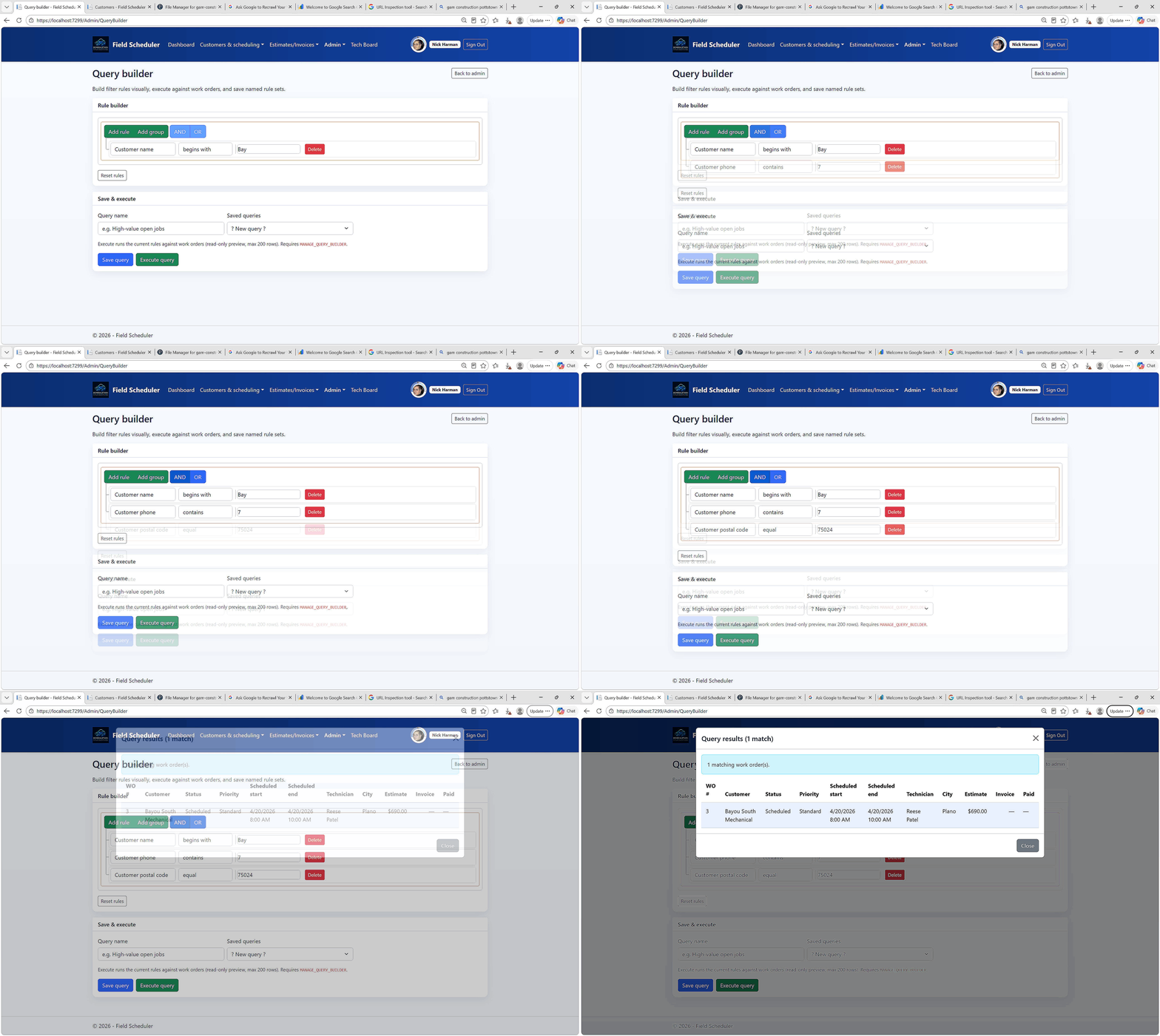
Visual rule builder with saved queries, JSON preview, and a results modal—no raw SQL required from staff.
Administrators with MANAGE_QUERY_BUILDER use a point-and-click interface to add conditions,
nest them in AND/OR groups, and reset or refine filters before running.
Rules are evaluated in application code against a fixed work-order projection—customer, status, schedule, estimate amount, technician assignment, and route zone—so ad-hoc lookups stay bounded and predictable.
Name and persist filter sets, load them from a dropdown, update in place, or delete when no longer needed.
Saved definitions live in the QueryBuilderRules store for your tenant.
Execute a query and review matching work orders in a scrollable modal with WO number, customer, status, scheduled start, estimate, technician flag, and route zone—up to 200 rows per run.
The builder targets operational questions on the field schedule: who the job is for, where it sits in the lifecycle, when it is planned, how large the estimate is, whether a technician is assigned, and which route zone applies.
Strings, numbers, dates, and boolean selects use operators such as equals, contains, greater/less than, between, in list, and empty/not empty—matching how dispatch and back-office staff already think about work orders.
| Step | What you do | Outcome |
|---|---|---|
| Open builder | Navigate from Admin → Query builder (permission required) | Rule builder and saved-query list ready |
| Build rules | Add conditions and AND/OR groups; refresh JSON preview | Visual filter set ready to run or save |
| Save (optional) | Name the query and save for later | Reusable definition in the saved-query dropdown |
| Run query | Execute with up to 200 matching work orders | Modal table with operational columns |
| Review | Scan results and follow up in dispatch, billing, or reporting | Actionable lists for scheduling and revenue ops |